Shopify Exchange Best Practices: Same-Order Fulfillment vs. New Orders
Learn how Shopify handles exchanges natively — same-order fulfillments, automatic netting, restocking fees — and when creating a new order is the better choice for your store.
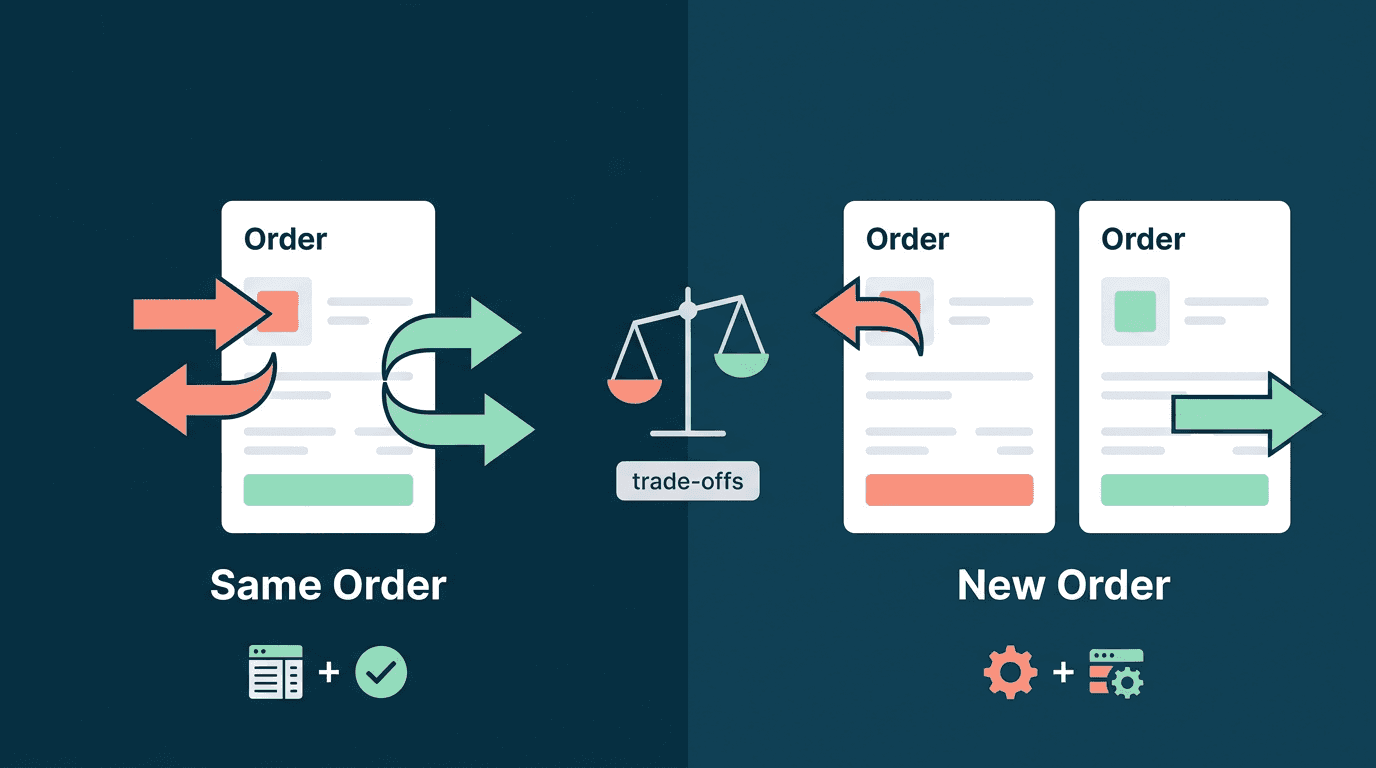
Two paths, one goal: getting the right product to your customer
A customer bought the wrong size. They want to swap it. The good news: Shopify gives you more than one way to handle this. The less obvious news: each method has real trade-offs, and the right choice depends on your store's fulfillment setup, accounting preferences, and growth goals.
This guide walks through both approaches — same-order exchanges and new-order exchanges — with an honest look at where each shines and where each requires workarounds. If you're still weighing whether to prioritize exchanges over refunds in the first place, start with our guide on exchange-first return strategy.
Method 1: Same-order exchanges (new fulfillment on the original order)
This is Shopify's native exchange model and the direction the platform is moving. When you process an exchange this way, Shopify doesn't create a new order. Instead, it adds exchange line items to the existing return and creates a new FulfillmentOrder on the original order.
Here's what happens under the hood:
- The customer requests a return on fulfilled items
- You (or the customer via a self-serve portal) select replacement items
- Shopify creates a
Returnobject with bothreturnLineItems(items coming back) andexchangeLineItems(items going out) - A new fulfillment order is created on the original order for the exchange items
- Financial netting is calculated automatically
The result: one order, one transaction history, one clean record.
How automatic netting works
One of the strongest benefits of same-order exchanges is how Shopify handles the money. It compares the value of returned items against exchange items and determines the right financial outcome:
- Even exchange (same value): No additional transaction needed. The original payment covers the new items, and the fulfillment order is available immediately — no hold, no invoice.
- Customer owes more (upsell): The fulfillment order is placed
ON_HOLDuntil the customer pays the difference through your checkout. You send an invoice viaorderInvoiceSendand the hold releases automatically once paid. - Merchant owes customer (downsell): The difference is refunded. No hold — you can ship right away.
This netting logic — what Shopify calls suggestedFinancialOutcome — accounts for item prices, taxes, and fees in one calculation. It's one less thing you have to manually reconcile.
Restocking fees
Shopify lets you apply restocking fees as a percentage on individual return line items, configured in Settings → Policies → Return rules. On an exchange, the restocking fee is deducted from the refund amount rather than charged separately — so a 10% fee on an even-value swap means the merchant retains a small portion of the original transaction.
You can override the default on a per-return or per-item basis, which is helpful for VIP customers, defective items, or first-time buyers. For a deeper look, see our guide to restocking fees in e-commerce.
The accounting advantage
Same-order exchanges keep your reporting clean. Every action — purchase, return, exchange, refund — lives on one order timeline. There are no $0 orders inflating your order count, no 100% discounts skewing your promotion metrics. Shopify's SalesAgreement model records what was sold and returned in a single ledger entry, which means your revenue reports, average order value, and discount analytics stay accurate without manual cleanup.
The platform is moving in this direction
There's an important ecosystem signal here: Shopify is actively encouraging apps to adopt same-order exchanges. The Built for Shopify (BFS) program — which grants apps priority visibility in the App Store, ranking boosts, and a trust badge — now has category-specific requirements for returns and exchanges apps. These include:
- Sync all return lifecycle events with Shopify's APIs (creation, shipping, restocking, cancellation, refunds)
- Create exchange line items on the order — meaning the app must use same-order exchanges, not standalone new orders
- Include shipping and restocking fees on the order when applicable
For app developers, this is a strong incentive: adopting native same-order exchanges isn't just technically cleaner, it's becoming a prerequisite for the most valuable App Store real estate. BFS apps see an average 49% increase in new installs within 14 days of earning the badge. As more apps align with this model, merchant tooling and 3PL integrations will continue catching up.
The recent unification of POS and online exchanges (March 2025) further signals Shopify's commitment: retail exchanges now use the same Return-based exchange platform as online exchanges, deprecating the older ExchangeV2 system entirely.
Trade-offs to consider with same-order exchanges
Same-order exchanges are the preferred direction, but they do come with considerations that affect certain store setups. These aren't dealbreakers — they're trade-offs worth understanding.
Third-party fulfillment integration gaps
When an exchange creates a new fulfillment on the original order, the order number stays the same. Some third-party integrations — certain ShipStation configurations, custom 3PL connections, or older ERP setups — may not automatically detect the new fulfillment because they've already processed that order number.
As one merchant described in a Shopify AMA: "Because the order number stays the same, the return doesn't come through into our shipping software." This is improving as more fulfillment providers update their Shopify integrations, but it's worth testing with your stack before going all-in.
Discount and promotion complexity
The original order may have had discount codes, automatic promotions, or bundle pricing. Exchange items are priced at current values, and the netting calculation doesn't always align with what the customer originally paid. In most cases this works fine — but for stores with complex promotion stacks, it's worth verifying how the numbers look on a few test exchanges.
Custom fulfillment workflows
Stores with made-to-order products or highly custom fulfillment routing may trigger workflows on order creation rather than on fulfillment order events. If that's your setup, same-order exchanges will bypass those triggers. The fix is usually updating your workflow to listen for fulfillment_orders/order_routing_complete webhooks, but it's an integration change to plan for.
Method 2: New order exchanges
The alternative is straightforward: refund (or store-credit) the original order, create a new order for the replacement, and fulfill it like any other order. Every system in your stack — shipping, inventory, accounting, ERP — processes it without special handling because it looks like a normal sale.
This approach has its own set of trade-offs:
- $0 orders or 100% discounts: For even-value exchanges, the new order either shows as $0 or as a fully discounted sale. At scale, this can distort average order value, discount analytics, and revenue reporting.
- Split transaction history: The return is on one order, the replacement on another. Support teams need to cross-reference two records to see the full picture.
- Customer communication: The customer receives a refund notification and a separate new order confirmation, rather than a single "exchange processed" message.
That said, new-order exchanges remain the pragmatic choice for stores whose fulfillment stack isn't yet compatible with same-order fulfillments. There's nothing inherently wrong with the approach — it's simply a different set of trade-offs. Many successful Shopify stores use it daily and manage the reporting cleanup as part of their regular accounting workflow.
When to use which
Here's a practical framework for deciding:
| Scenario | Recommended | Why |
|---|---|---|
| Simple size/color swaps, Shopify-native fulfillment | Same-order | Clean accounting, automatic netting, one order record |
| 3PL or shipping software that doesn't detect new fulfillments on existing orders | New order | Avoids fulfillment pipeline gaps while integration matures |
| Even-value exchanges | Same-order | No payment action needed, immediate fulfillment — simplest possible flow |
| Upsell exchanges (customer pays difference) | Either | Same-order handles invoicing natively; new order works through checkout |
| Made-to-order or custom products | New order (often) | Custom workflows often trigger on order creation events |
| High volume with tight reporting needs | Same-order | Eliminates $0 order pollution in analytics |
| Pursuing BFS status for your returns app | Same-order (required) | BFS criteria mandate exchange line items on the order |
Best practices regardless of method
1. Make exchanges easier than refunds
Whichever method you use, the exchange flow should have less friction than the refund flow. Free shipping on exchanges, one-click product swaps, and instant processing all push customers toward keeping their money in your store. The customer shouldn't have to know or care which method runs behind the scenes.
2. Use restocking fees as an exchange incentive
Rather than treating restocking fees as a blanket penalty, use them strategically: charge a restocking fee on refunds but waive it on exchanges. This makes the exchange the clearly better deal for the customer while protecting your margins on returns that leave revenue on the table.
3. Communicate the resolution clearly
Whether the exchange creates a new fulfillment on the original order or a separate order, the customer should receive a clear email explaining what's being returned, what's being shipped, and any price difference that was charged or refunded. Ambiguous notifications generate support tickets.
4. Test your integration stack first
Before committing to either method, run a test exchange end to end: create the exchange, verify your shipping software picks it up, confirm your accounting integration records it correctly, and check what the customer notification looks like. Five minutes of testing saves hours of cleanup later.
5. Stay flexible
Your ideal method may differ by situation. A simple color swap on a Shopify-fulfilled order is a perfect same-order exchange. A complex replacement involving a 3PL with rigid order-based workflows may need a new order. The best returns apps let you choose per-exchange rather than locking you into one path.
How ExchangeIt handles both
ExchangeIt supports both same-order exchanges and new-order exchanges because we've seen that no single approach works for every store, every time.
With same-order exchanges, ExchangeIt adds exchange items to the original order and creates a new fulfillment — keeping your accounting clean and your order history unified. Uneven exchanges are handled automatically: if the new item costs more, the customer receives a payment invoice through your checkout; if it costs less, a partial refund is issued. Restocking fees, refund amounts, and exchange items are all managed from one screen.
When a clean new order makes more sense — because your 3PL needs it, your workflow triggers on order creation, or the situation calls for it — ExchangeIt handles that too, with full charge-and-refund processing. Both methods run through the same admin portal and the same customer-facing returns portal.
The point isn't that one method is "right." It's that you should have the flexibility to choose the right one for each situation. Start a 7-day free trial and test both with your setup.